> For the complete documentation index, see [llms.txt](https://faq.wanttopay.net/wanttopay-app/llms.txt). Markdown versions of documentation pages are available by appending `.md` to page URLs; this page is available as [Markdown](https://faq.wanttopay.net/wanttopay-app/instrukcii/instrukciya-app-store-dlya-easy.md).
# Инструкция App Store для Easy
{% hint style="info" %}
*Для успешной смены региона, баланс вашего аккаунта Apple ID должен быть нулевым, а также в аккаунте не должно быть активных подписок.*\
*При смене региона и привязке карты подмена местоположения в соответствии с регионом привязки карты обязательна.*
***Важно! Стоимость контента и подписок при смене региона в App Store может отличаться.***
{% endhint %}
**Шаг 1**
**Смена региона**
* Откройте приложение `Настройки`
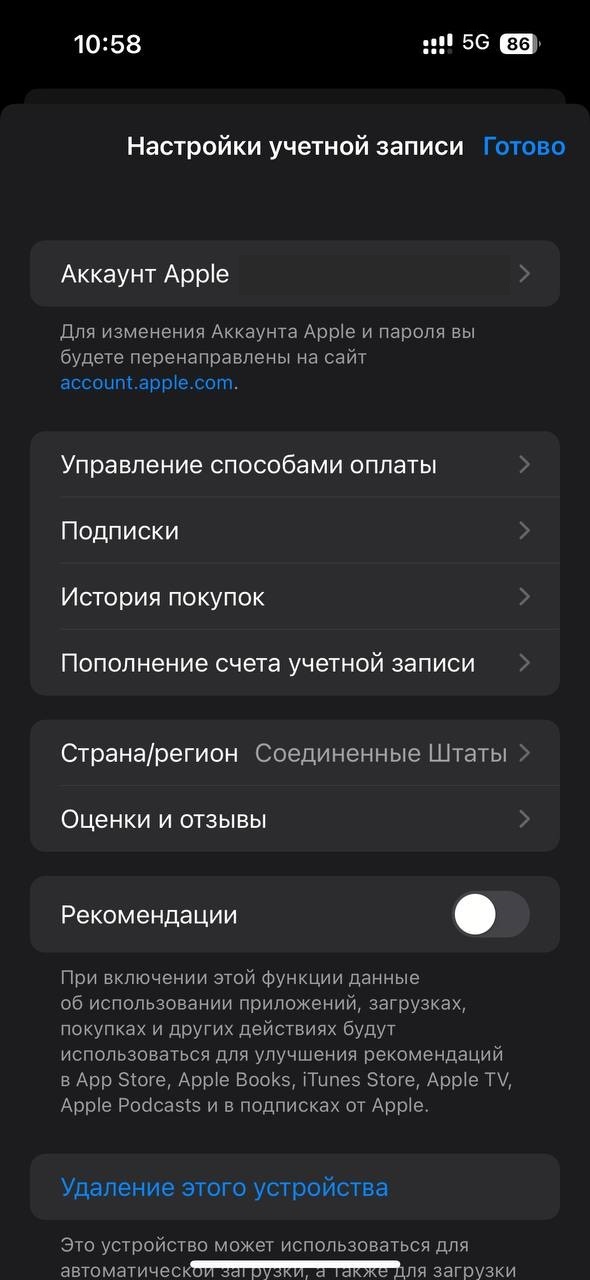
* Нажмите на `Аккаунт Apple` в верхней части экрана
* Нажмите `Контент и покупки`
* Нажмите `Посмотреть`, чтобы перейти в дальнейшее меню
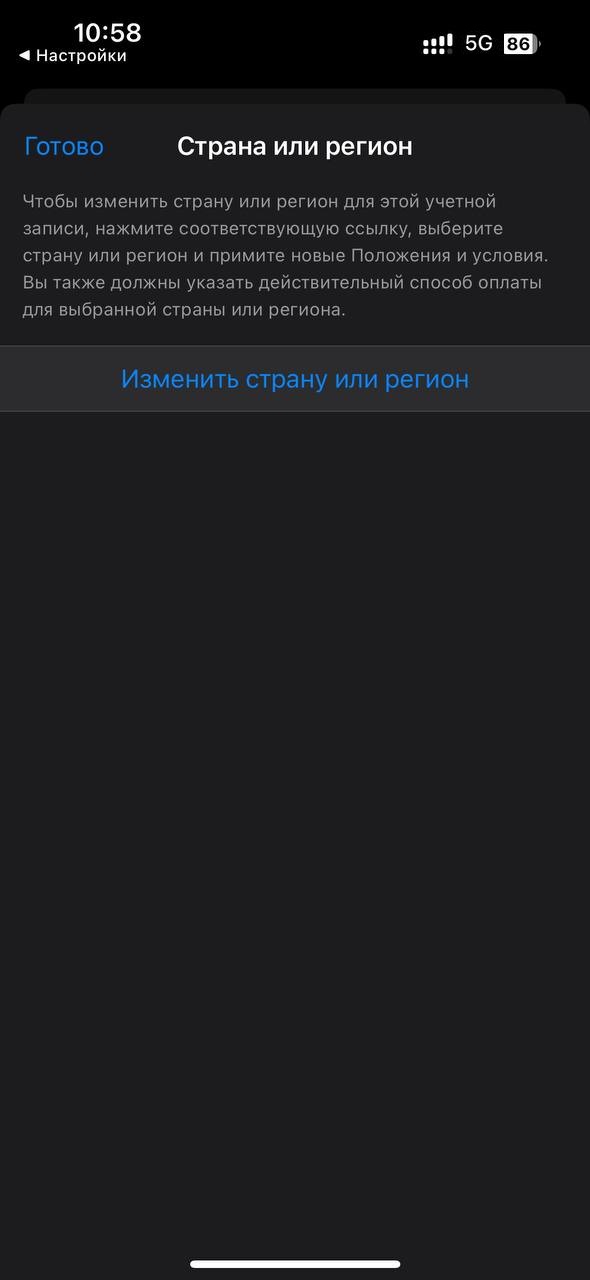
* Нажмите `Страна и регион`
* Нажмите `Изменить страну или регион` и выберите Великобританию
#### Шаг 2
**Заполните биллинг данные**
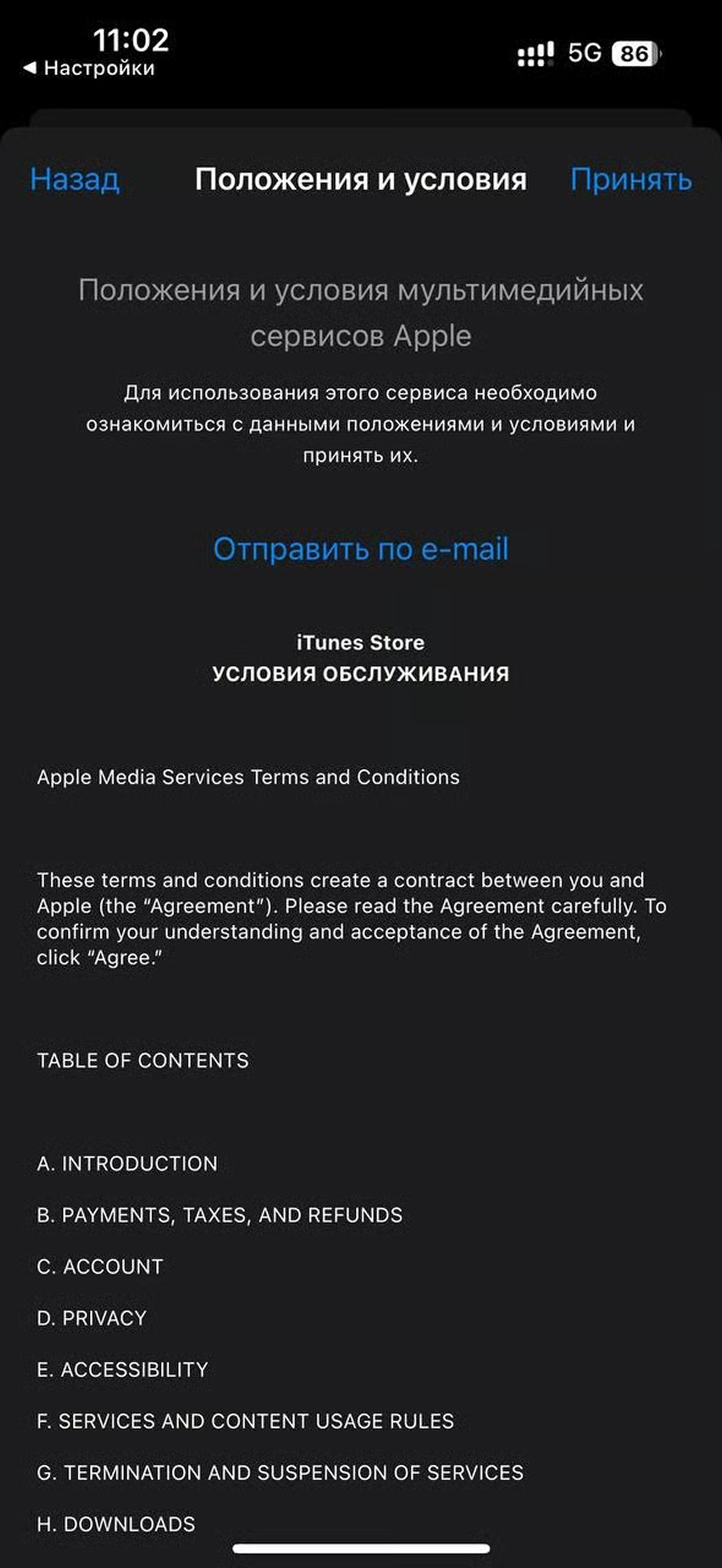
* Нажмите `Принять` в меню "Положения и условия"
* Нажмите `None` в способах оплаты, а также введите `Имя и Фамилию` на латинице
* Введите биллинг данные\* в `Адресе для выставления счета`
**Шаг 3**
**Введите данные карты**
* Закройте все окна
* Откройте приложение `Настройки`
* Нажмите на `Аккаунт Apple` в верхней части экрана
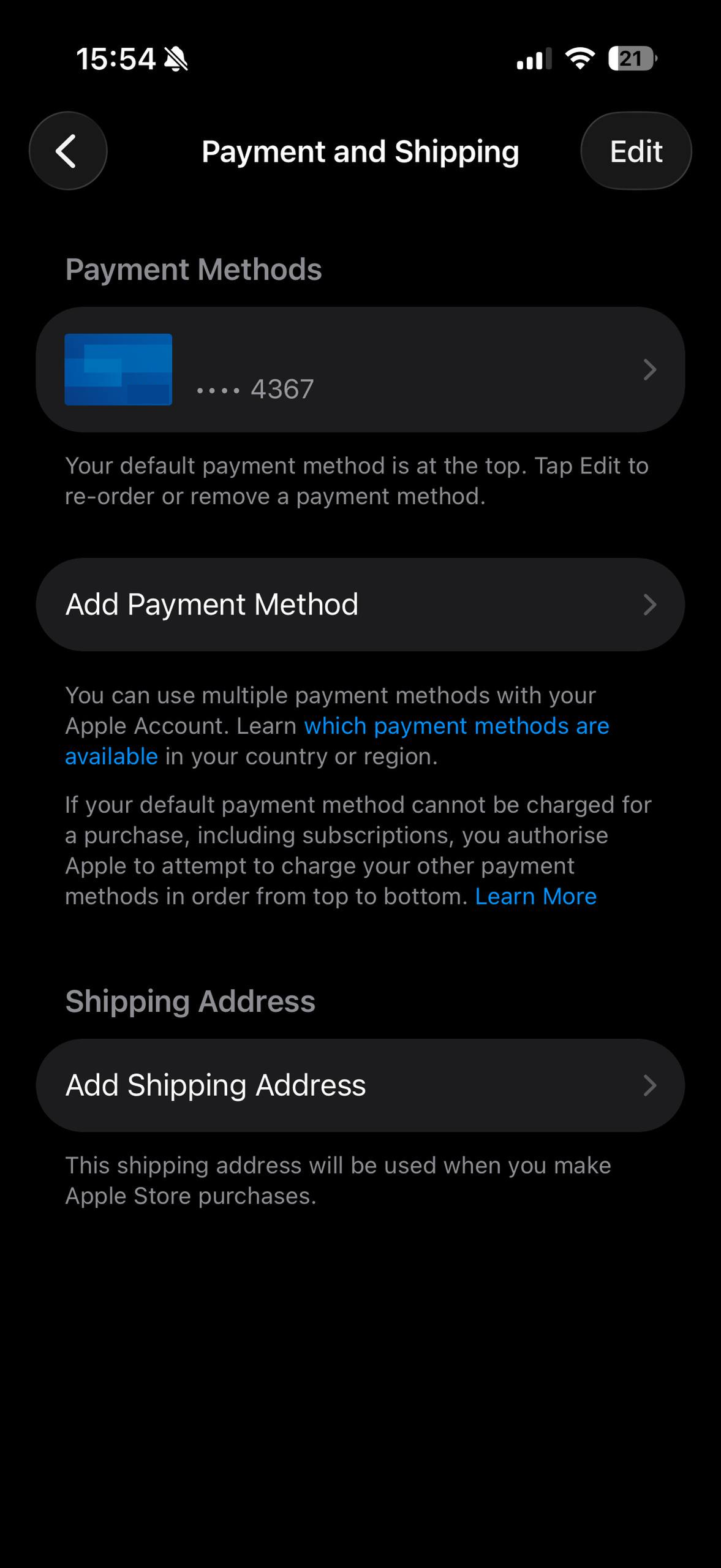
* Нажмите `Оплата и доставка`
* Нажмите Credit/Debit Card в способах оплаты
* Введите `данные вашей карты`\*
* Нажмите Done
{% hint style="warning" %}
Используйте данный биллинг адрес (Великобритания):\
Street: 164 Notting Hill Gate\
City: London\
County: Notting-Hill\
Postal code: W11 3QG\
Country: United Kingdom\
Tel.: Любой набор цифр
{% endhint %}
---
# Agent Instructions
This documentation is published with GitBook. GitBook is the documentation platform designed so that both humans and AI agents can read, navigate, and reason over technical content effectively. Learn more at gitbook.com.
## Querying This Documentation
If you need additional information that is not directly available in this page, you can query the documentation by asking a question.
Perform an HTTP GET request on the following URL with the `ask` and `goal` query parameters:
```
GET https://faq.wanttopay.net/wanttopay-app/instrukcii/instrukciya-app-store-dlya-easy.md?ask=&goal=
```
`ask` is the immediate question: it should be specific, self-contained, and written in natural language.
`goal` is what the user is ultimately trying to achieve, the reason they need the answer. Sharing it helps GitBook give you a better, more relevant answer. A goal is most helpful when it describes the outcome the user wants rather than restating the question. For example, with `ask=how do I create an API token`, a goal like `automate deployments from our CI pipeline` lets GitBook tailor the answer to that use case.
The response will contain a direct answer to the question and relevant excerpts and sources from the documentation.
Use this mechanism when the answer is not explicitly present in the current page, you need clarification or additional context, or you want to retrieve related documentation sections.


.png?alt=media&token=d0f68361-b0ec-4e9e-bd05-778bf83aeb0b)
.png?alt=media&token=2567832b-c3f0-47af-b7f3-9d68e88cfe5f)

.png?alt=media&token=47adf328-12ad-42a2-86d9-8e8426f5d81e)